Ceiling Fan Light Won’t Turn On or Pull Chain Stuck

Clara Townsend
Clara Townsend is an interior stylist, vintage furniture enthusiast, and the creative voice behind Velvet Abode. With over a decade of experience transforming both cramped city apartments and sprawling fixer-uppers, she believes that a beautiful home is built on personal stories rather than massive budgets. When she isn't hunting for the perfect brass sconce at a local flea market, she can usually be found rearranging her living room for the third time this month.
There is something uniquely irritating about a ceiling fan that cheerfully spins while the light refuses to join the party. It is like your room can breathe, but it cannot glow. The good news is that most fan light failures fall into a few predictable categories, and you can triage them in a tidy, no-drama order.
Before we start: if you smell burning, see smoke, hear crackling, or the fixture feels hot to the touch, turn the power off at the breaker and call a licensed electrician.

Quick safety setup
- Turn the fan off using the wall switch and any remote.
- Cut power at the breaker if you will remove shades, open housings, or reach into a socket.
- Confirm power is off with a non-contact voltage tester before touching anything metal inside the light kit or canopy.
- Let bulbs cool for a few minutes. Halogens and some LEDs run hotter than you think.
- Use a stable step stool, keep three points of contact, and do not overreach. If you feel wobbly, recruit a spotter.
Check power and controls
1) Wall switch and breaker
This sounds too basic until you remember how many homes have a wall switch that controls only the light, only the fan, or neither due to past “creative” rewiring.
- Flip the wall switch off, then on firmly.
- Check your electrical panel for a tripped breaker. If it is halfway between on and off, switch it fully off, then back on.
- If the fan has a separate light switch, confirm it is not on a dimmer that is not LED compatible.
- If you have an AFCI or GFCI breaker that trips when you try the light, stop resetting it repeatedly and move to the “call an electrician” section.
2) Light disabled mode
Some fans with remotes have settings that disable the light kit, or they require the light wall switch to stay on at all times so the remote can do its job.
- If you use a remote, set the wall switch to on, then try the remote again.
- If the remote has a light button with dimming, press and hold it for a few seconds. Some models toggle between dimming mode and on and off mode.
Bulbs and sockets
3) Try a known-good bulb
If the fan spins, you likely have power to the motor, but the light circuit (switch leg, receiver, or light kit) may still be interrupted. The simplest next step is still a bulb you know works. Use the exact base type and wattage range listed on the fixture.
- Try one new bulb first, not a full multi-pack swap. It makes troubleshooting clearer.
- If your fan uses candelabra bulbs (E12) or small appliance-style bulbs, confirm you are not forcing the wrong base.
- If your fan has a dimmer remote, choose dimmable LEDs to avoid flicker or failure to turn on.
4) Socket contact tab check
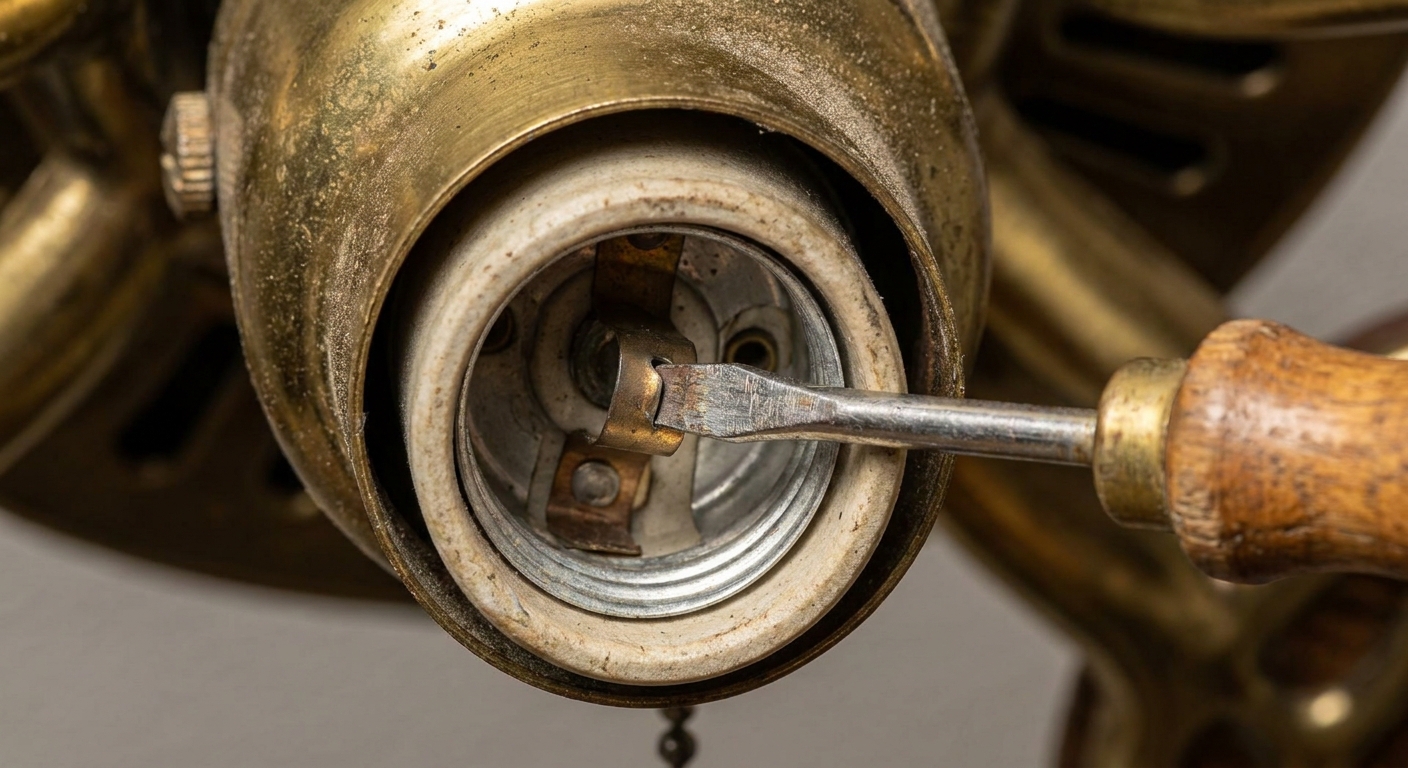
Here is the sneaky one: inside the light socket, there is a tiny metal tab that touches the bulb base. Over time, it can flatten, so the bulb stops making contact.
- Turn power off at the breaker.
- Confirm power is off with a non-contact voltage tester.
- Remove the bulb.
- If you see corrosion, scorching, melting, or a burnt smell, stop and call a pro. That is not a “bend it back” moment.
- Using a small flathead screwdriver, gently lift the metal tab in the center of the socket just a hair.
- Reinstall the bulb and restore power.
Gentle is the vibe here. You are persuading the tab, not prying it into a new personality.
Pull chain issues
Pull chains fail in two main ways: they get physically stuck, or the internal switch wears out so it no longer clicks through settings.
5) Free a stuck chain
- Turn power off at the breaker.
- Remove the glass shade if it blocks your view.
- Look for the chain catching on the rim of the housing, the shade bracket, or tangled around another chain.
- Try gentle, straight-down pulls. If it will not move, stop. Yanking often breaks the chain or damages the switch.
6) Replace the pull-chain switch
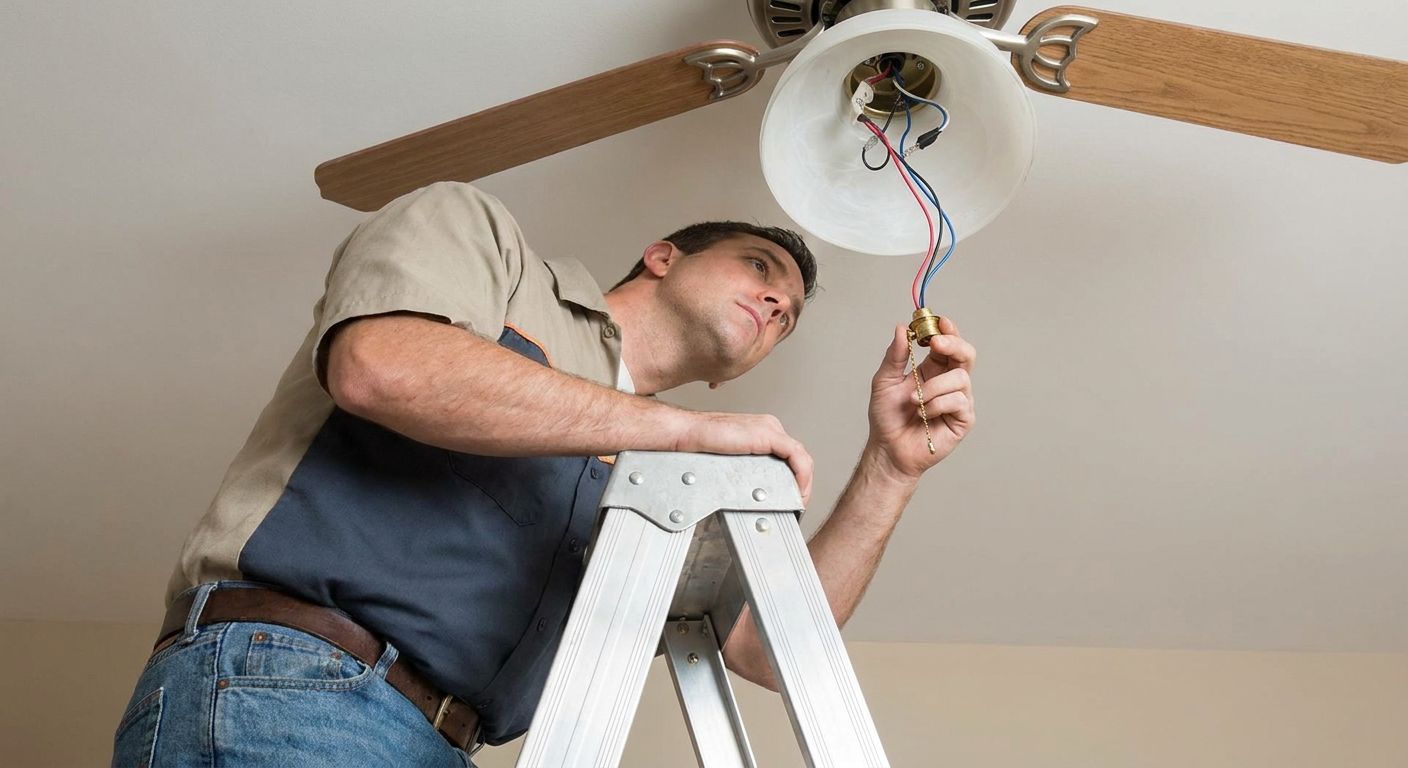
If the chain pulls but does not click, or it clicks but the light never changes, the switch may be worn out. This is a common, inexpensive fix, but it does require comfort with basic wiring. If that makes your palms sweat, it is completely reasonable to hire a pro.
- Turn off the breaker and confirm the light does not respond.
- Confirm power is off with a non-contact voltage tester before touching wiring.
- Remove the light kit cover to access the switch housing.
- Take a clear photo of the existing wiring before disconnecting anything.
- Match what you have: the same number of wires and the same style (for example, labeled L-1-2-3, or 2-wire vs 3-wire setups).
- Match the voltage and amperage rating printed on the old switch.
- Move wires one at a time from the old switch to the new switch (same positions).
- Reassemble carefully, keeping wires away from sharp edges and screw points.
If your fan has separate chains for fan speed and light, make sure you are replacing the correct switch. They are not always interchangeable.
Remote and wall controls
7) Re-pair the remote
If your fan uses a remote, there is usually a receiver tucked into the canopy at the ceiling. After power outages, battery changes, or a new remote, it may need re-pairing.
- Replace the remote batteries first.
- Turn the breaker off for 30 seconds, then back on.
- Within the pairing window (this varies by model, often around 30 to 60 seconds), hold the pairing button or a specific key combo listed on your remote.
If you do not have the manual, look up your fan brand and model number, often found on a label on top of the motor housing or inside the canopy.
8) Control compatibility
Many ceiling fan light kits do not love standard dimmer switches. If the previous homeowner installed a dimmer meant for incandescent bulbs, LEDs can behave badly or not turn on at all.
- If the light works on remote but not on the wall dimmer, consider swapping to an LED-rated fan light control or a simple on and off switch.
- If the fan and light share one control, confirm you have a fan-rated speed control. Regular dimmers are not designed for fan motors.
Light kit connections
If bulbs are good, the pull chain works, and remotes are paired, you may be looking at a loose connection inside the fan. This is where the line between DIY and “call someone with a voltage tester and calm nerves” starts to appear.
9) Check the light kit connector
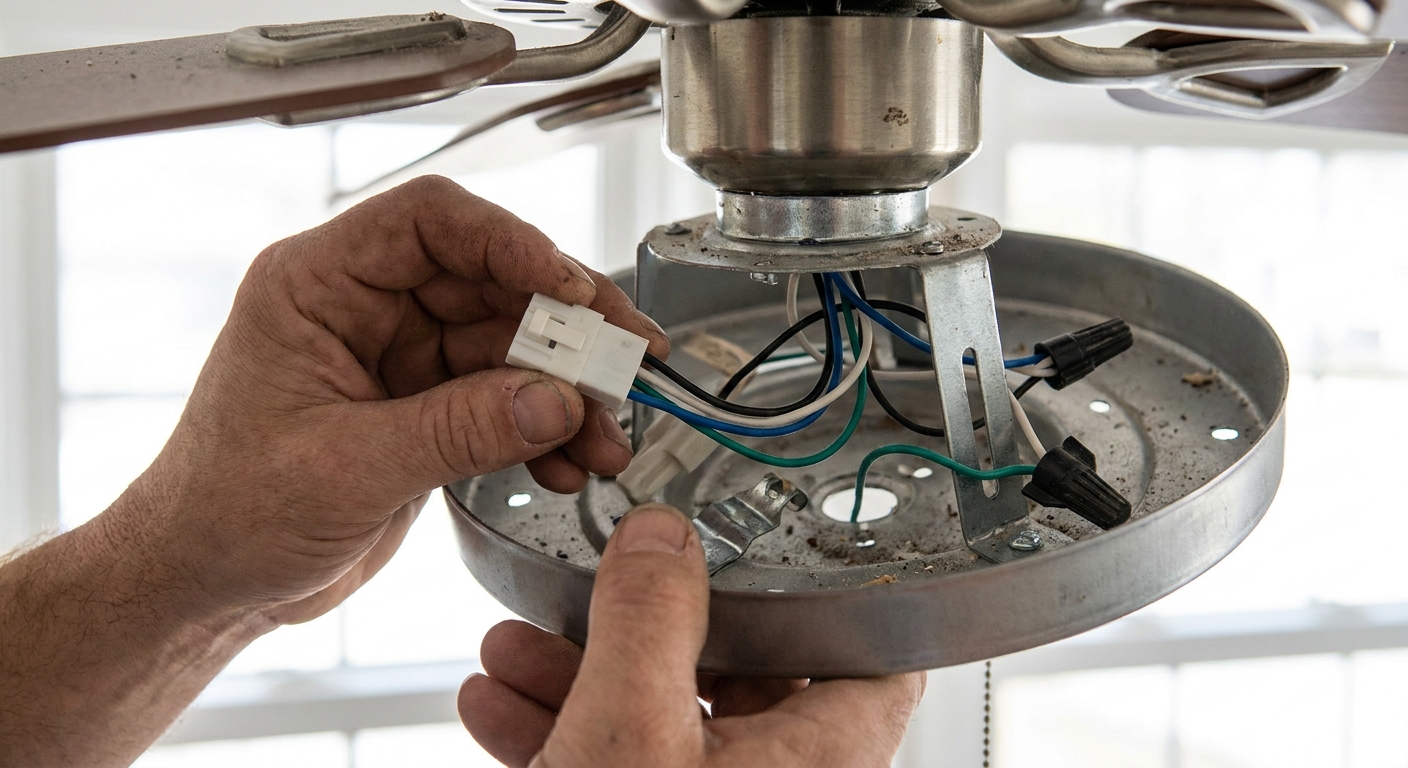
Many fans have quick-connect plugs between the motor housing and the light kit. If the light kit was installed recently or loosened during cleaning, that plug can wiggle loose.
- Turn power off at the breaker.
- Confirm power is off with a non-contact voltage tester.
- Remove the light kit screws and lower it carefully.
- Look for a plug-style connector (color and shape vary) and make sure it is firmly seated.
- If there is no plug and it is hardwired, do not tug on connections. Consider calling a pro if anything looks loose or overheated.
- Reattach the light kit without pinching wires.
10) Integrated LED light kits
If your fan has an integrated LED module (no replaceable bulbs), the fix is usually not a bulb swap. Common culprits are a failed LED driver, a failed LED board, or a failing receiver that is not sending power to the light.
- Check the manual for a reset sequence (some models use a power-cycle pattern).
- If the light flickers, stays off, or only turns on sometimes, you may need a replacement LED module or driver specific to your fan model.
- If the fan responds to the remote but the light never does, the receiver can be the problem and may need replacement or bypass by a technician.
11) Fuses and limiters
Some light kits and receivers include a small inline fuse or a thermal limiter. If it fails, the fan may run while the light stays dark. These parts are not present on every model and are not always homeowner-serviceable, but they are worth knowing about when you are deciding between ordering parts and calling help.
When to call an electrician
Some issues are quick for a pro and risky for everyone else, especially in older homes with layered renovations.
- The breaker (especially AFCI or GFCI) trips repeatedly when you try the light.
- You see scorched wires, melted insulation, corrosion in the socket, or a burnt smell.
- The light flickers wildly even with new bulbs and a standard switch.
- The fan is installed on a box that is not fan-rated, or the ceiling mount feels loose.
- You open the canopy and find confusing splices, missing wire nuts, or aluminum wiring.
- You suspect a failed receiver, driver, limiter, or internal wiring issue and you do not have a safe way to test voltage.
If you are ever unsure whether you are looking at a simple component swap or a wiring puzzle, choose the option that lets you sleep at night. A safe home is the prettiest home.
Save this order
- Wall switch on and breaker not tripped
- Remote batteries, settings, and pairing (varies by model)
- Known-good bulb (if applicable)
- Socket tab contact check (power off, test first)
- Pull chain not jammed, then switch replacement if needed
- Light kit connector seated (plug style, color varies)
- Integrated LED module or driver issues (order parts by model)
- Call electrician for repeated trips, heat, burning smell, or messy wiring
Once it is working again, take a second to notice how the room feels when the fan light is steady and warm. Lighting is not just functional. It is mood, comfort, and the little exhale at the end of the day.